RTX 3090 LLM benchmarks: 70B at 48 GB, and what happens with 32 users at once
Local LLM benchmarks on two RTX 3090s, 8B to 70B, measured with CRUCIBLE, our open source tool. 19 to 145 tokens/s for one user, 2,460 tokens/s across 32 at once, plus cited answers over your own documents.
If you run local models, you have had this question at some point: what does this machine actually give me? Not the marketing number for a card, but what a real box does with a real model in front of real people. We wanted a solid answer for our own hardware, so we measured it properly and wrote the post we would have wanted to read.
Everything here was measured with CRUCIBLE, so it is worth a minute on what that is before the numbers.
What CRUCIBLE is
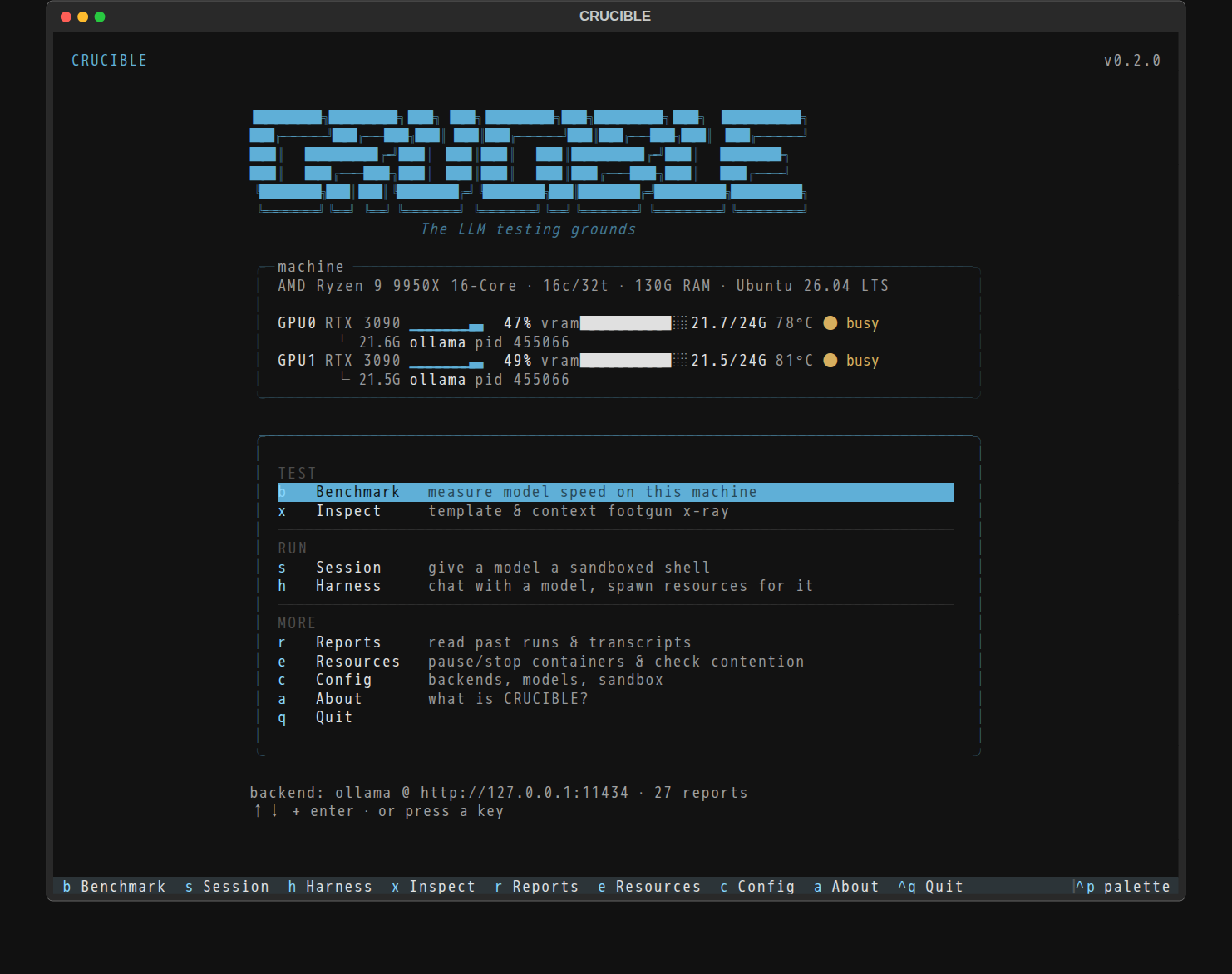
CRUCIBLE is a terminal tool for benchmarking local LLMs. We built it while testing models for our own stack, got tired of guessing which model would feel fast on which hardware, and ended up with something worth releasing. It is open source, MIT licensed, and on GitHub: github.com/AthlasSoftware/crucible.
It works against Ollama, vLLM and any OpenAI-compatible server. What makes it different from piping numbers out of a script is that it explains them. A run tells you how long you wait for the first word, how fast the model decodes after that, and whether the stream stutters, then says whether those numbers meet the targets you set and where the evidence is thin. Every run saves a JSON and Markdown report with the context needed to check it later: sample counts, uncertainty, token ranges, completion status. It is honest about its own limits, which for a benchmarking tool is the whole point.
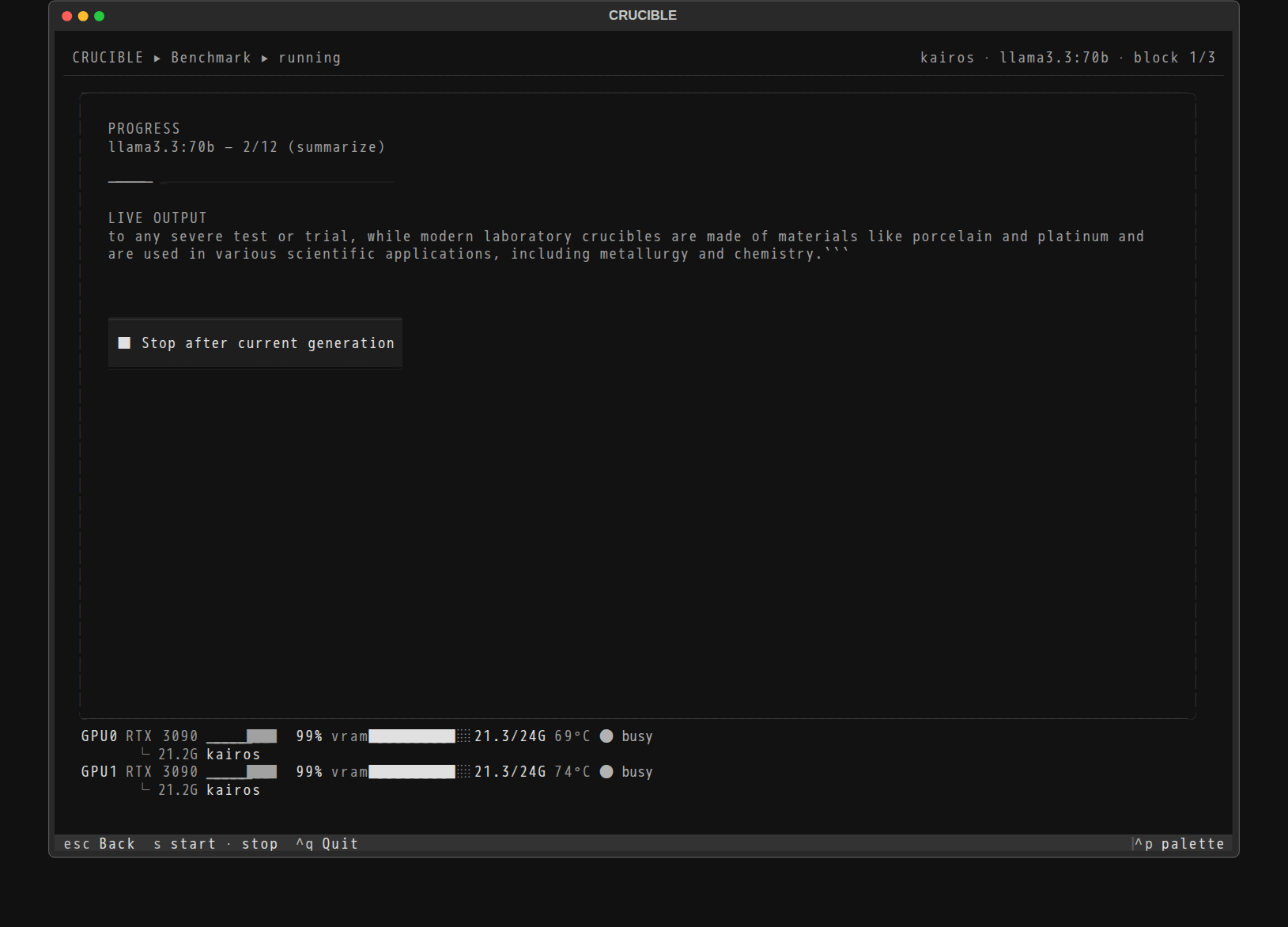
Running it is three lines:
git clone https://github.com/AthlasSoftware/crucible.git
cd crucible
uv run crucible
You need uv, Python 3.12+ and a model server. That is the entire setup. Everything below came out of it.
The machine
Our bench: an AMD Ryzen 9 9950X, 128 GB of RAM, two RTX 3090s with 24 GB each, on Custom KairosOS-flavour. One thing to be clear about up front, because the rest of the post leans on it. This is our development machine, not a product. It has the same two-GPU, 48 GB shape as the Blackbox Base tier, but on the previous GPU generation. The machines we actually ship run current Blackwell cards. So every number here is a floor, not a ceiling.
The post has two halves. First, raw metal: one model, one user, straight off Ollama, which is the baseline most people recognise. Then the same machine serving a room full of people through Kairos, our software layer, which is how a team really uses one of these boxes.
Part one: raw metal
How we measured
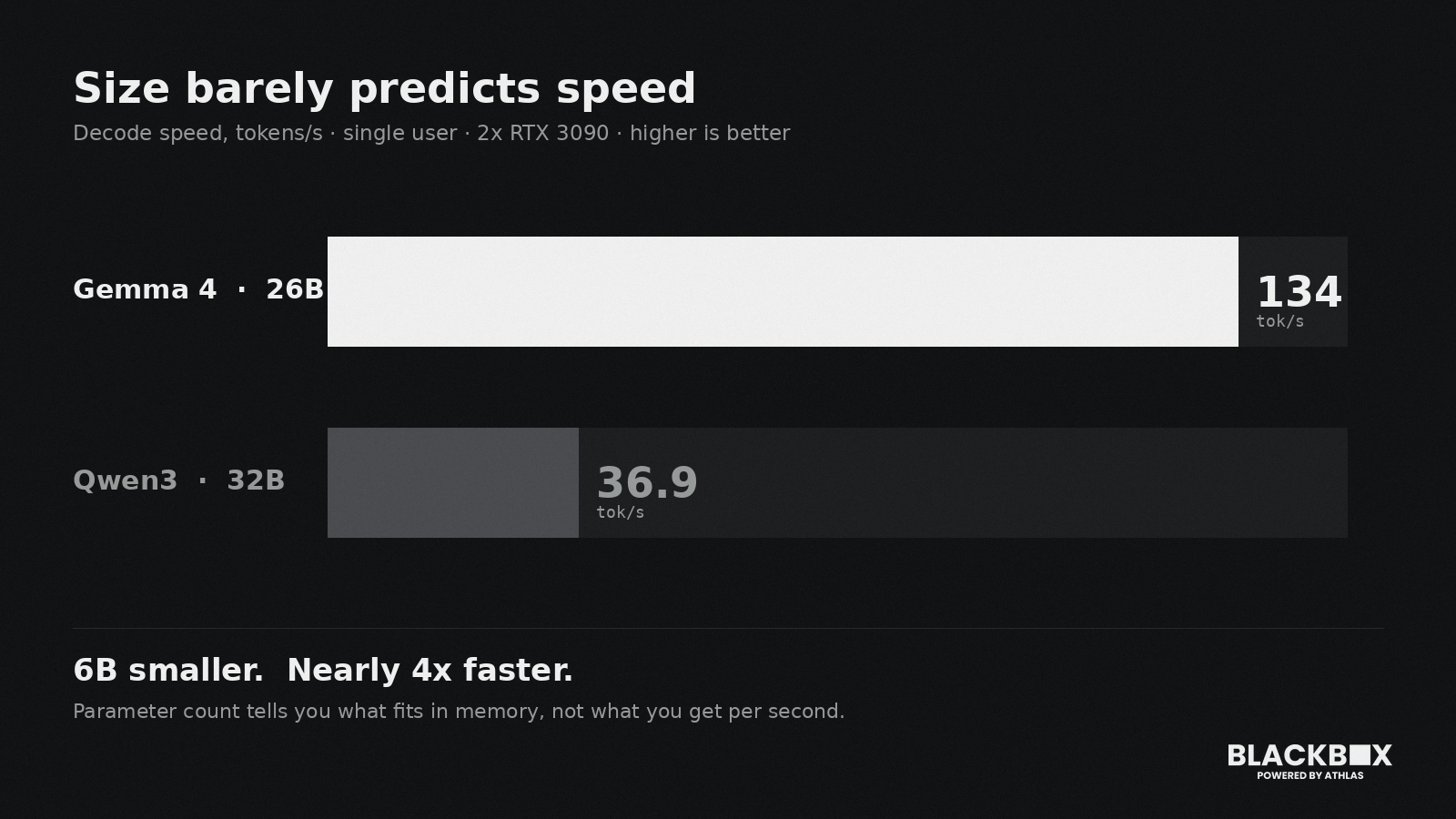
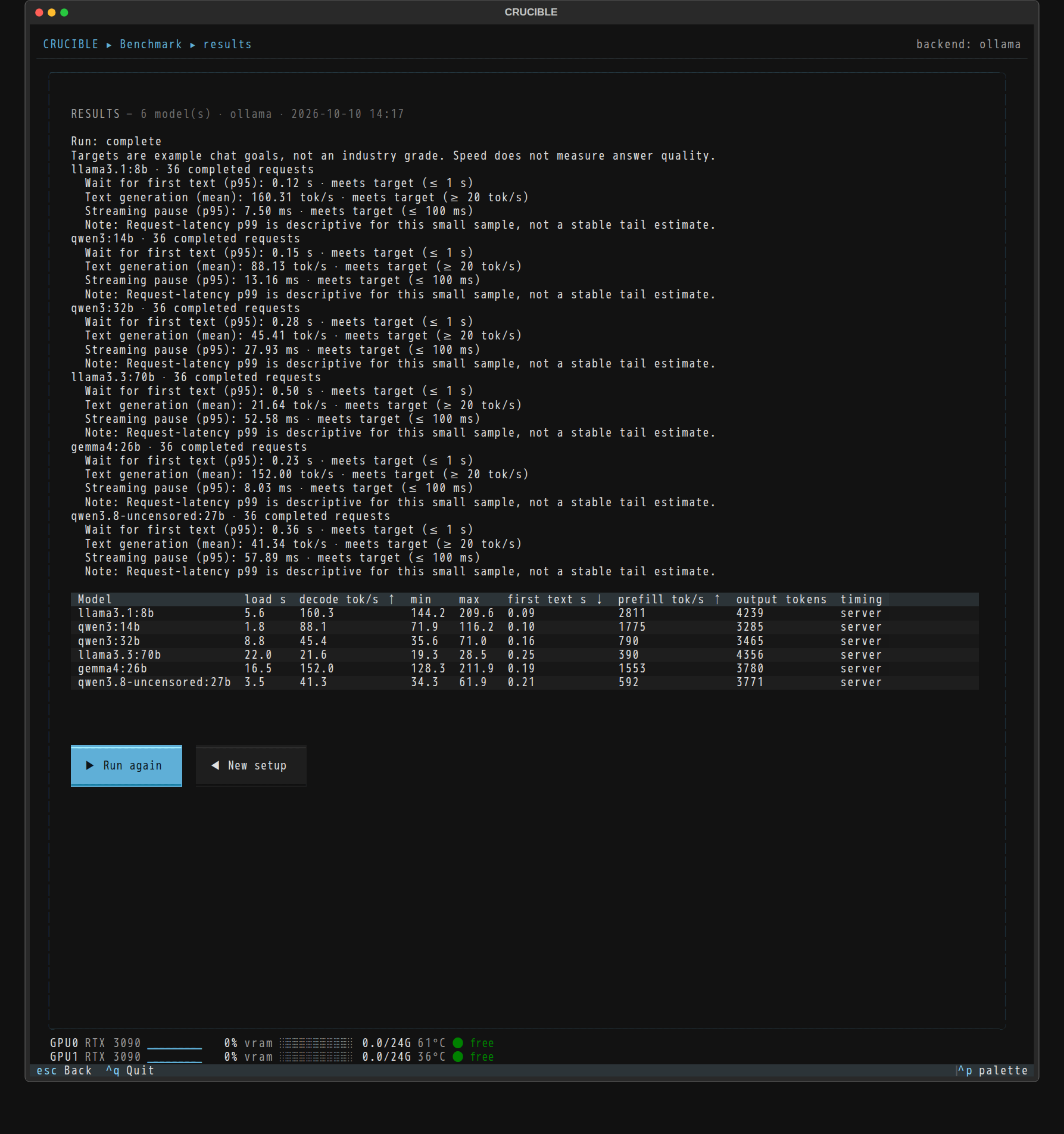
Ollama 0.23.2, models at 4-bit, context 8192, temperature 0, a fixed seed, and a warmup pass before each run so a cold load does not skew the first result. Three blocks per model. For decode speed we use CRUCIBLE's fixed 128-token generation so every model does the same amount of work. No serving layer in front of the model, one request at a time. This is the baseline the rest of the post is measured against.
What each model size delivers
| Model | VRAM used | First token, p50 / p95 | Prefill (tok/s) | Decode (tok/s) |
|---|---|---|---|---|
| Llama 3.1 8B | 5.9 GB | 0.08 s / 0.12 s | 4 605 | 145.2 |
| Qwen3 14B | 10.0 GB | 0.09 s / 0.15 s | 2 554 | 78.7 |
| Gemma 4 26B | 18.3 GB | 0.18 s / 0.23 s | 3 251 | 134.0 |
| Qwen3 32B | 21.1 GB | 0.12 s / 0.28 s | 1 120 | 36.9 |
| Llama 3.3 70B | 21.7 + 21.5 GB | 0.17 s / 0.50 s | 563 | 19.4 |
The decode numbers are tg128 means and they held steady, under 0.3 tokens per second of variation across runs for every model.
Does a 70B really fit on 48 GB?
It does, with enough headroom to be useful rather than just technically possible. At 4-bit, Llama 3.3 70B takes 21.7 GB on one card and 21.5 GB on the other, runs both flat out, and holds 19.4 tokens per second. The median first token arrives in 0.17 seconds. Most people read somewhere around 5 to 7 tokens per second, so even on two second-hand consumer cards a 70B answers faster than you can keep up with.
Why a 26B runs nearly 4x faster than a 32B
This was the most useful thing the raw run told us, and the clearest argument for measuring instead of trusting a spec sheet.
Look at the two models on paper. Gemma 4 at 26B and Qwen3 at 32B are close enough in size that you would expect them to feel about the same, with the 32B maybe a touch slower for being bigger. A 6B difference out of thirty is not much. Most people would guess a handful of tokens per second between them.
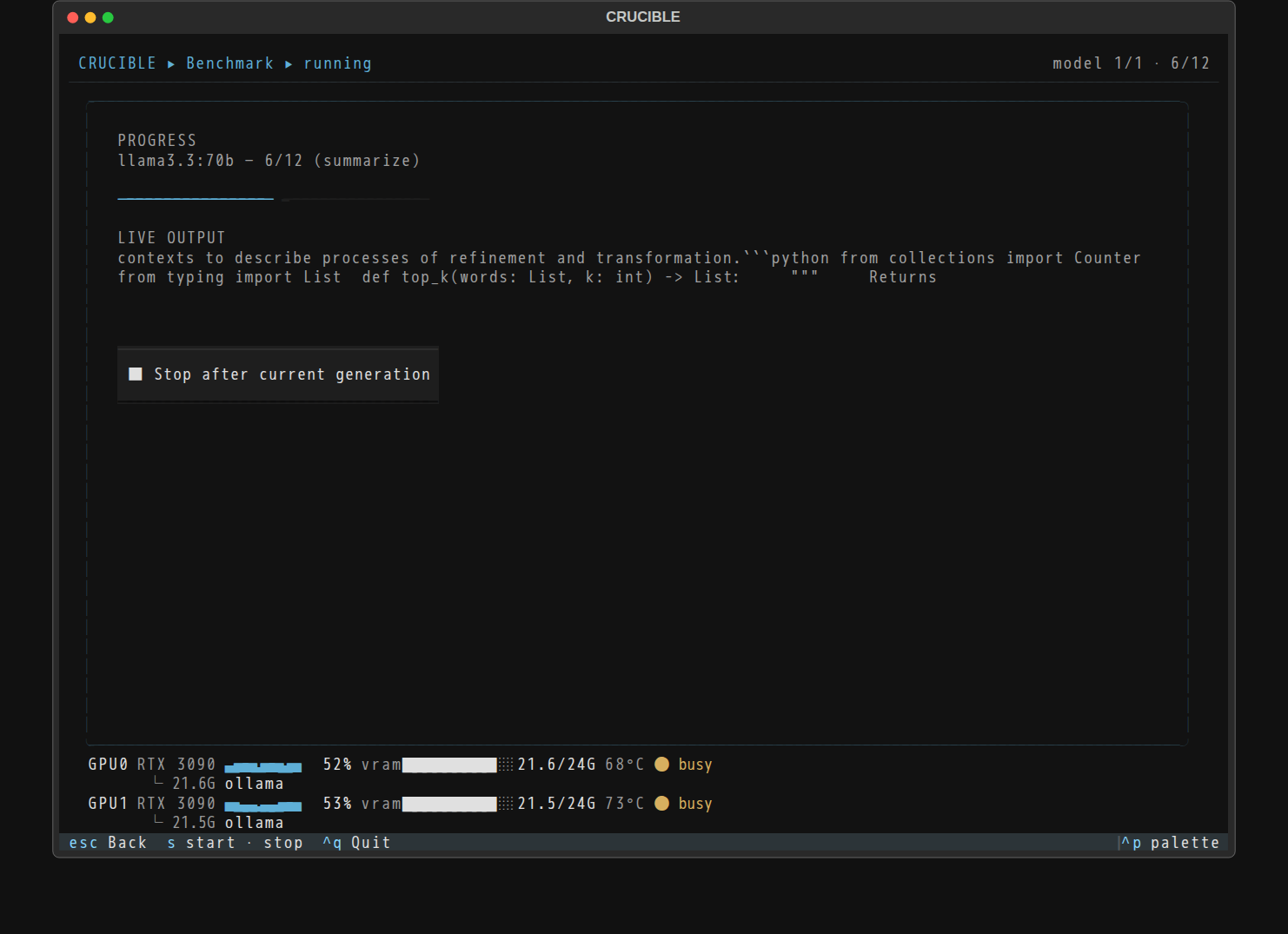
The real gap is not a handful. Gemma 4 26B decodes at 134 tokens per second. Qwen3 32B manages 36.9. The smaller model is nearly four times faster, on the same cards, the same settings, the same prompt. Six billion parameters smaller on paper, almost 4x quicker in practice.
The reason is that parameter count is not a speed rating. How fast a model decodes depends on its architecture and how efficiently it runs on the hardware in front of it, things no size label captures. A model that was trained to be efficient at inference will leave a bigger, heavier one far behind, and you cannot see that coming from the name.
For a business this matters in a very concrete way. If you picked purely by size, you might put the slower 32B on your machine, hand your team an assistant that feels sluggish, and never realise a model six billion parameters smaller would have answered almost four times faster and freed up capacity for more people at once. The only way to know which model actually suits your hardware is to run it there, which is exactly what CRUCIBLE is for.
Part two: what Kairos changes
Part one is one person at a time. A Blackbox is meant to serve a team, and that is the job our software layer, Kairos, does. Same machine, same models, measured this time through the serving path a real deployment uses. CRUCIBLE can point at that path the same way it points at anything OpenAI-compatible, so the method did not change, only what sits behind it.
Faster, even for one person
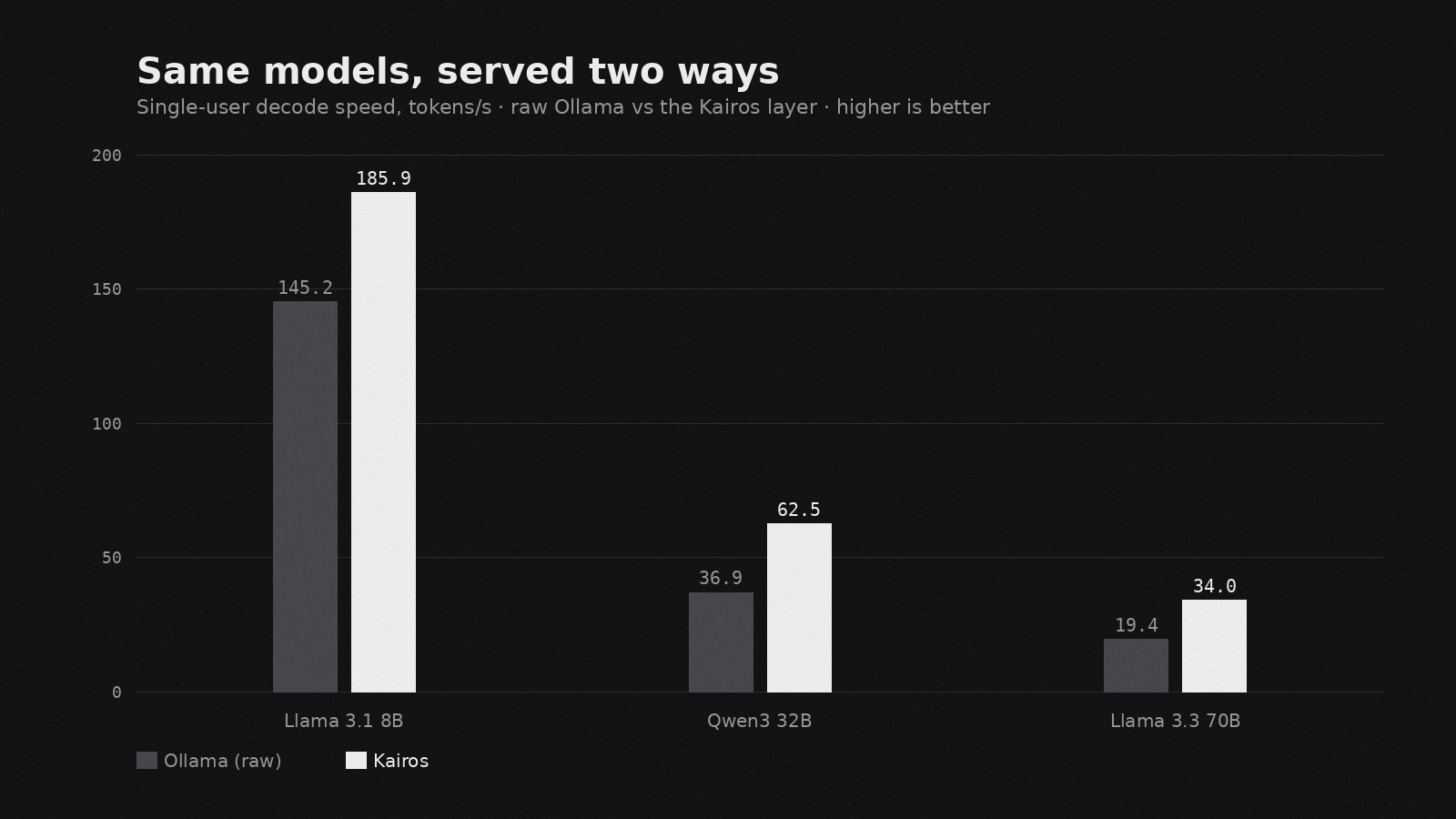
The simplest comparison first: a single user, raw Ollama against Kairos, nothing else changed.
| Model | Ollama (raw) | Kairos |
|---|---|---|
| Llama 3.1 8B | 145.2 tok/s | 185.9 tok/s |
| Qwen3 32B | 36.9 tok/s | 62.5 tok/s |
| Llama 3.3 70B | 19.4 tok/s | 34.0 tok/s |
The 32B runs about 69 percent faster and the 70B close to double, before a second user is anywhere near the machine. The waits improve too: the 70B's median first token drops from 0.17 to 0.07 seconds.
It holds up as people pile on
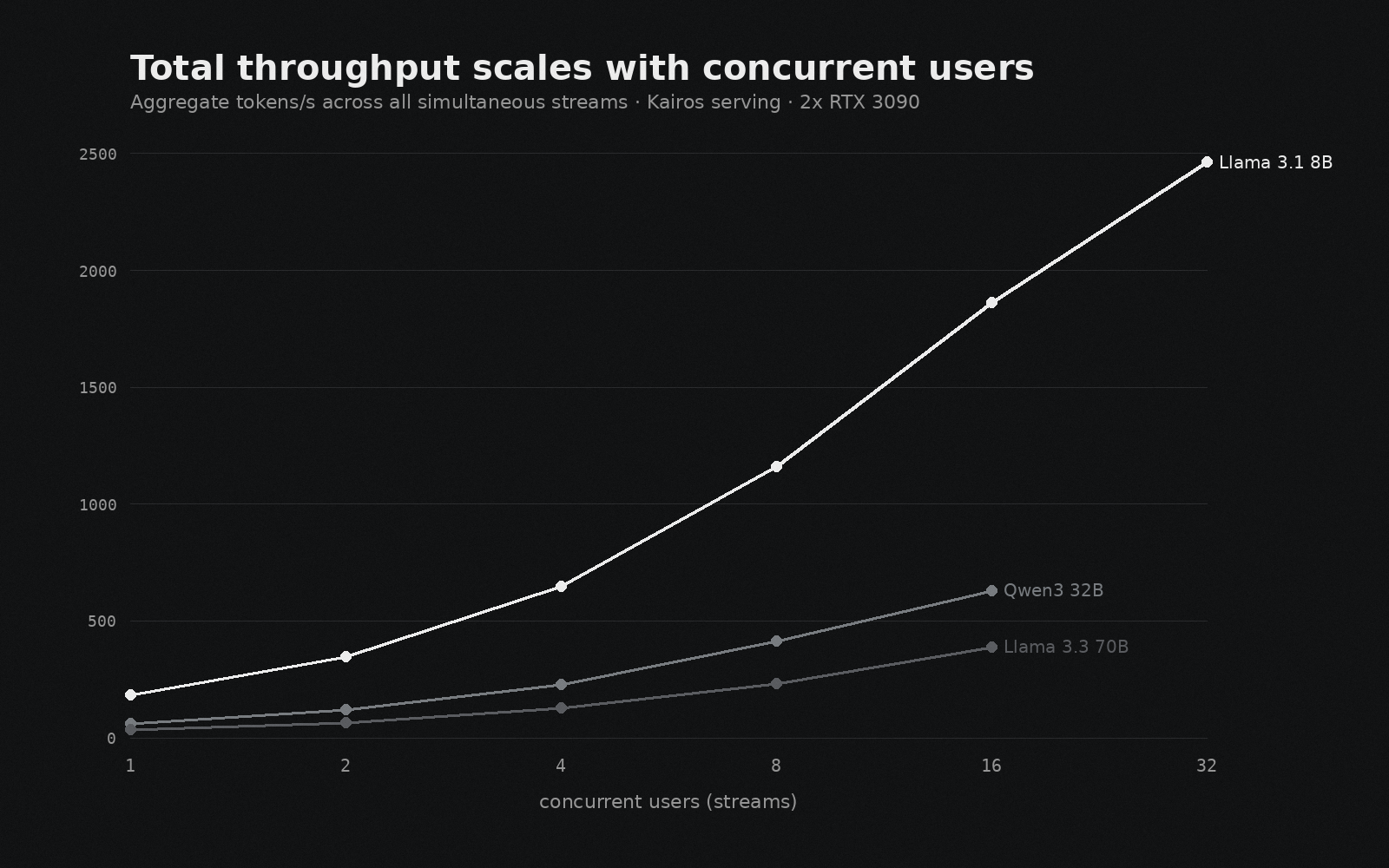
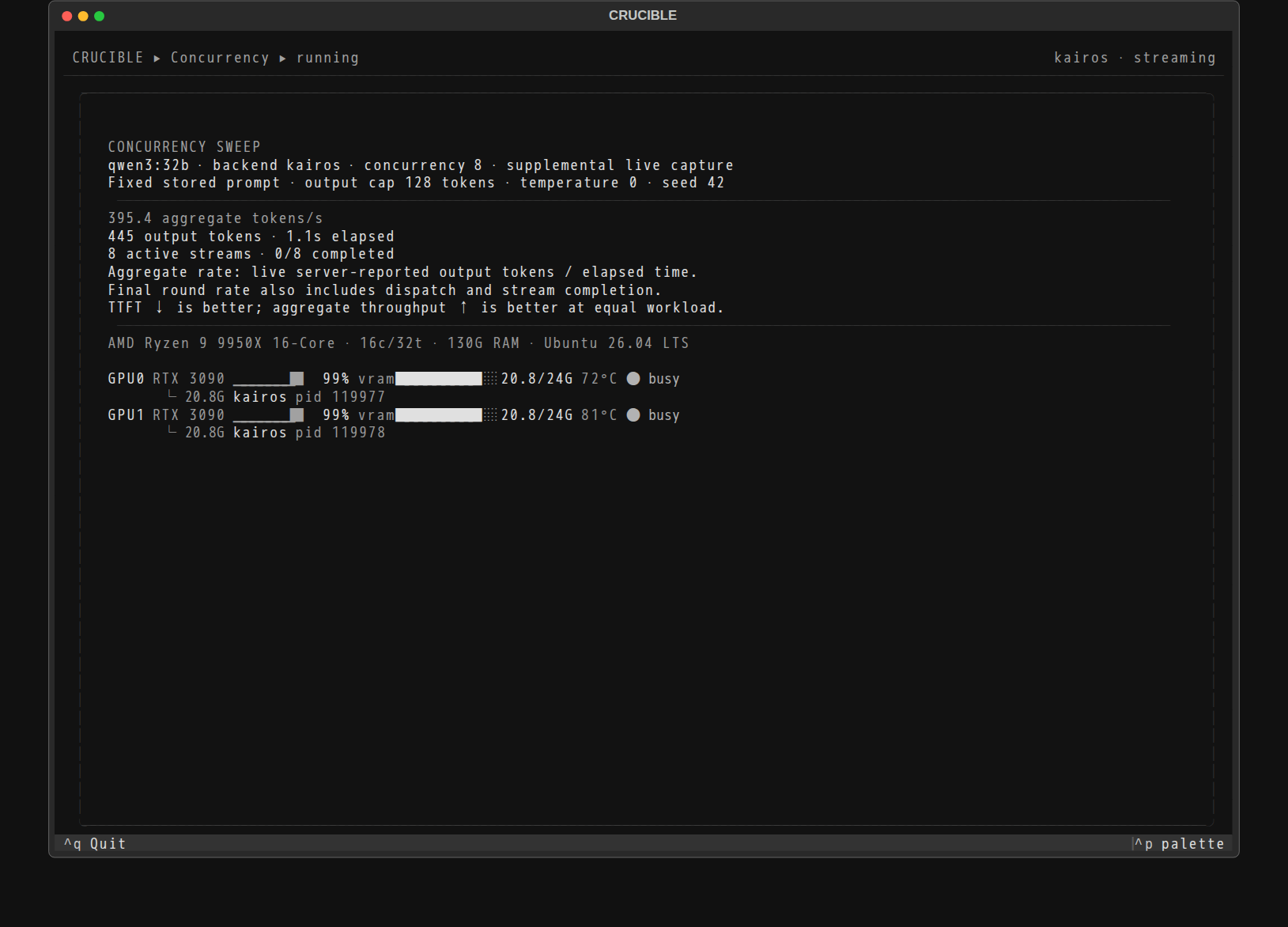
This is the part that matters once more than one person uses the machine. As users arrive at the same time, total throughput keeps climbing, because the serving layer batches their requests together instead of running them one after another.
An 8B model went from 184 tokens per second for one user to 2,460 for thirty-two, all at once. A 32B carried 16 people at 631 tokens per second combined. The 70B held 388 tokens per second across 16 streams at the same time. Each person's own answer slows a little as the room fills, but not sharply: an 8B stream was still running at 117 tokens per second with 16 people active, comfortably above reading speed.
We ran the same test on raw Ollama to have something to compare against. At four simultaneous 32B streams it failed every round. That is the difference in practice between a model server and a single-user tool.
More people, less energy per answer
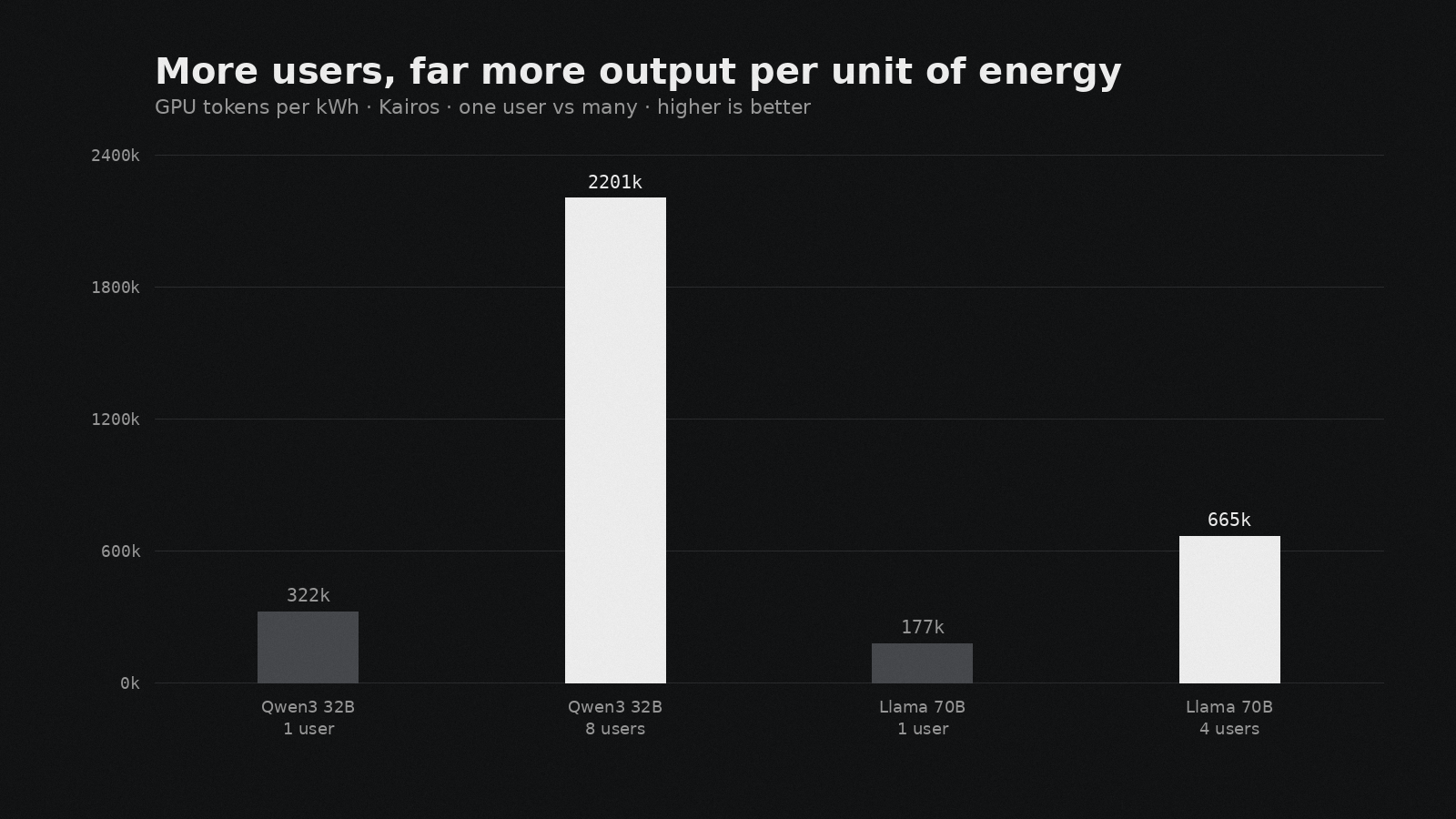
This one we had to look twice at. Serving a lot of people at once uses far less energy per answer than serving one, because the GPUs get much more done for roughly the same power draw.
A 32B serving one user works out to about 322,000 tokens per kilowatt-hour. The same model at 8 users produces about 2.2 million, close to seven times more for the same energy. The 70B follows the same line, from 178,000 at one user to 666,000 at four. The more the machine is used, the less each answer costs to produce.
Answers from your own documents, with sources
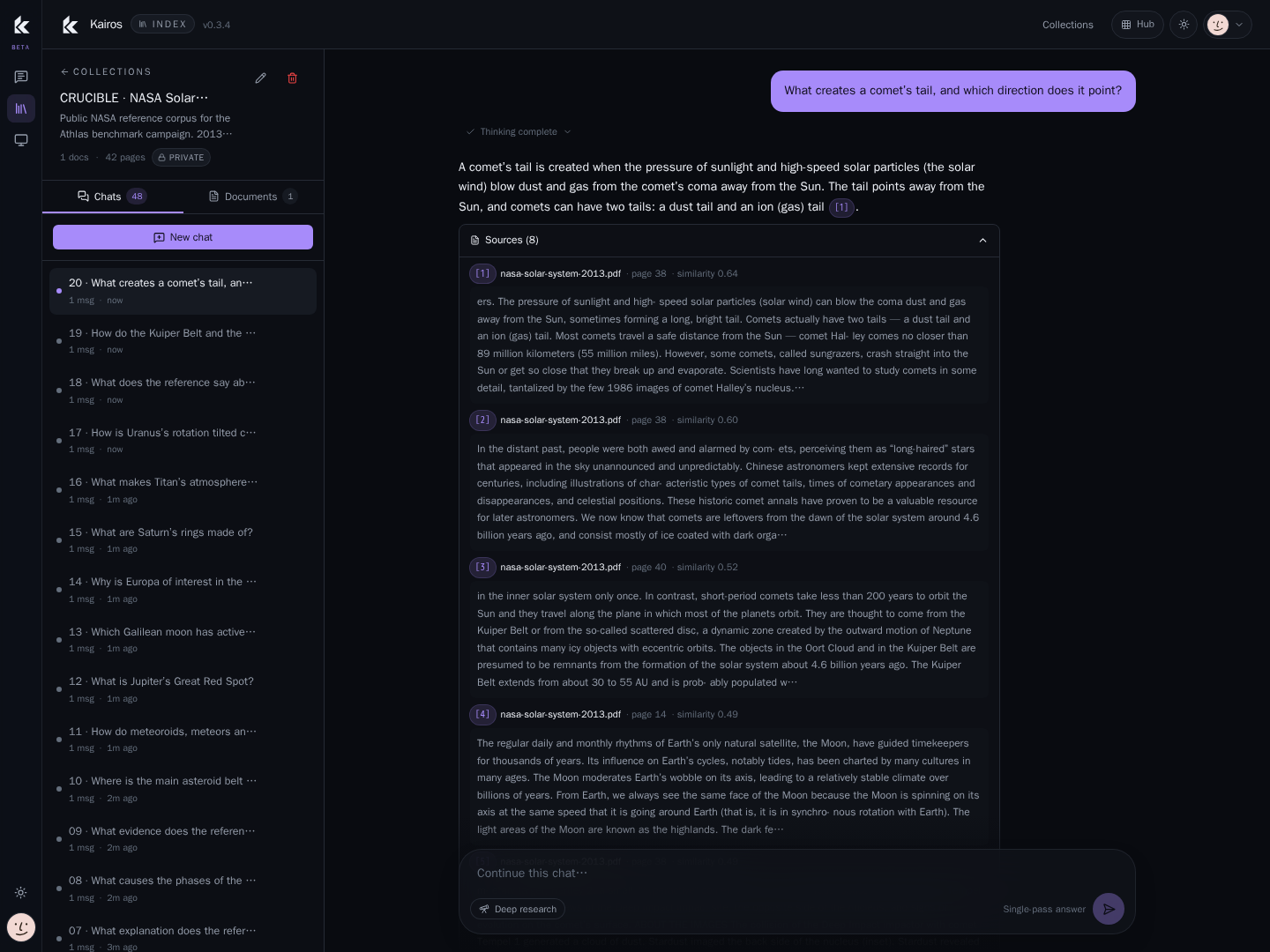
Speed is only half of what the layer does. The Index tool answers from your own material and nothing else, puts a citation on each claim, and refuses when the documents do not support an answer rather than making something up.
Measured on a public 42-page NASA reference document: full ingestion in 25 seconds, around 100 pages per minute, retrieval in under 0.13 seconds, and a complete cited answer in about 10 seconds at the median. All 20 test questions came back with their sources attached. That is the promise in plain numbers: ask in normal language, get an answer you can trace back to a page.
The limits of these numbers
A benchmark is only as good as its caveats, and CRUCIBLE is built to keep them visible. The raw-metal half is serial, one user at a time. The concurrency runs use a fixed short prompt with a 128-token cap over three rounds, so they describe capacity at those settings, not the maximum the machine could ever reach. Thinking modes were off so the comparison stayed clean. Every model ran 4-bit, served with production-equivalent settings. We measured whether answers came back cited and how fast, not whether they were correct, there is no model-intelligence grade here. Power is GPU-board draw, not the whole system. And the raw-Ollama contrast is one backend at one setting, not a verdict on Ollama, which is a fine single-user tool doing a different job.
The full raw data, every request trace, the power samples and the scripts, is kept and available on request.
The prototype and the product
Everything here ran on last generation's hardware, two used 3090s on a workshop bench. It still fits a 70B, still serves a room, still answers from your documents with a citation. The Blackbox machines we deliver run current Blackwell cards across all four tiers, leased monthly with the hardware, KairosOS, updates and support included. Read these numbers as the floor the product starts from.
If you want to see what the shipping machine does on your own documents, book a 15 minute demo. If you just want to measure your own hardware, CRUCIBLE is free: github.com/AthlasSoftware/crucible.
Run it yourself
- Install uv and have Ollama or vLLM running.
git clone https://github.com/AthlasSoftware/crucible.gitcd crucible && uv run crucible- Open Benchmark, pick your model, run three blocks, and compare against the tables above.
Sources
Keep reading
Want real help with this?
Athlas builds custom software, AI solutions and digital marketing for ambitious teams. Get in touch and we'll give you a straight answer on whether we can help. You will hear back within 24 hours.